
Appearance
BlueFox Email vs Brevo: Head-to-Head Comparison
In October 2025, Brevo quietly renamed its "Business" tier to "Standard" and slotted a new "Professional" tier in above it at $499 per month. Two months later, on December 4, 2025, it closed a €500 million funding round and crossed into unicorn territory. The product underneath those announcements has been broadening for years (email, SMS, WhatsApp, web push, live chat, a sales CRM, an AI marketing agent), but the late-2025 stretch was when Brevo's positioning shifted clearly. This is no longer an email tool that grew up. It's a customer engagement suite aimed at HubSpot's mid-market, priced to undercut.
BlueFox Email is a different kind of bet. One product, email only, sold per-send rather than per-contact, with every feature available on the free tier. There's a managed sending mode (with an optional dedicated IP add-on) and an optional bring-your-own AWS SES mode for teams that want full IP isolation and their own AWS billing relationship. No SMS, no CRM, no landing pages, no AI agent.
The honest question isn't which platform is "better." The two target different shapes of business. The useful question is which model fits your situation: a wide bundle priced by email volume, or a narrow product priced by sends with the option to run on top of your own AWS infrastructure. What follows is a section-by-section comparison covering design, integrations, automation, deliverability, personalization, segmentation, analytics, support, and pricing, with scenario-based cost math at the end. Numbers reflect public pricing and documentation as of October 2026.
Platform Positioning
Brevo is headquartered in Paris and was originally called Sendinblue. It rebranded in 2023 to reflect a broader product scope, and it now serves more than 600,000 customers, including eBay, H&M, and Carrefour, with ARR passing €200 million in 2025. Brevo is B Corp certified, and its December 2025 funding round brought General Atlantic and Oakley Capital onto the cap table at a valuation above $1B. The platform now covers email campaigns, transactional email (REST API and SMTP), SMS, WhatsApp, web and mobile push, live chat, forms, landing pages, and a built-in sales CRM. All customer data is stored and processed within the EU (primary hosting with OVH in France and Germany, plus Google Cloud in Belgium), so EU data residency and GDPR alignment are baseline rather than add-ons, which matters for teams operating in regulated markets or with European customers.
The pricing structure has five tiers: Free, Starter (from $9/mo for 5,000 emails), Standard (from $18/mo for 5,000 emails, previously called "Business"), Professional (from $499/mo for 150,000 emails, scaling up to 10M/mo), and Enterprise (custom pricing, aimed at companies with 1M+ contacts). Feature access steps up with the tier: on Free and Starter only 2,000 unique contacts can enter automations, while Standard lifts that cap and adds A/B testing, landing pages, and web and event tracking; WhatsApp, popups, mobile push, AI segmentation, contact scoring, and phone support require Professional or Enterprise. Each volume tier also caps how many contacts you can store. Brevo's AI work runs through its Aura AI assistant, backed by a €50 million, five-year AI investment.
BlueFox Email's product is narrower by design. It offers two delivery modes: managed infrastructure (projects start in sandbox, move to production after a review, no AWS account required) and an optional BYO AWS SES mode for teams that want to use their own AWS account and keep their own sending reputation. The feature set covers campaigns, transactional, triggered emails, automations, sign-up forms, segments, suppression lists, and a subscription preferences page with one-click unsubscribe (RFC-8058) built in. There's no SMS, WhatsApp, push, live chat, CRM, or landing page builder. Pricing is per-send with unlimited contacts (monthly plans from $6/month excl. VAT, or one-time send packs), and all features are available on every plan including the free tier.
The two are aimed at different teams. Brevo fits organizations that want one vendor for multi-channel marketing automation plus a sales CRM. BlueFox Email fits teams that want focused email, either fully managed or on top of their own AWS SES, with predictable per-send costs and no feature gates between tiers.
Email Design and Templates
Brevo
Brevo ships a drag-and-drop builder, a rich-text editor, and an HTML editor, plus responsive templates tailored to industries and use cases. Its AI content generator drafts subject lines and email copy and adjusts tone, and it's included from the Starter plan. Click heatmaps arrive with Standard. Higher tiers add AI-powered ecommerce features such as product recommendations, back-in-stock alerts, and coupons.
Independent reviews note specific editor constraints: blocks cannot save with different column structures (a full-width header followed by a two-column body has to be built as two separate blocks), there's no content locking for recurring elements like headers and footers, and the developer mode lacks syntax highlighting. Users also occasionally report formatting inconsistencies and dashboard lag.
Strengths: large template library, three editor modes (drag-drop, rich text, HTML), AI content generation from Starter, click heatmaps from Standard, AI ecommerce recommendations on Professional.
Trade-offs: column-structure rigidity in saved blocks, no template-level content locking for shared elements, some users report editor performance lag, AI-generated copy can feel generic and need editing.
BlueFox Email
BlueFox Email offers three ways to build an email: a Visual Editor (drag-and-drop, built on the Chamaileon SDK), a Raw HTML editor, and a Plain Text editor. In the Visual Editor, emails are assembled from blocks (reusable full-width sections like headers, footers, and CTA rows), basics (reusable design tokens like colors, fonts, images, text snippets, and URLs), and components (buttons, dividers, etc.) that you can override at the project level to keep templates on-brand; an email built in Raw HTML or Plain Text can't be saved back as one of these reusable templates. The Visual Editor includes a built-in stock photo gallery, a photo editor, a shared image library, custom font uploads, and dark mode preview. Cross-client rendering covers Gmail, Outlook, Apple Mail, and mobile. The Dynamic Image block pairs with data feeds to render images sourced from RSS/JSON at send time.
Strengths: three editors to match your workflow, reusable design system with block-level reuse in the Visual Editor, built-in stock photo gallery and photo editor, data-feed-driven dynamic content, cross-client rendering, same editors for transactional and marketing.
Trade-offs: no AI content generation, no AI-driven dynamic content beyond data feeds. (Heat-map click visualization is an analytics feature; covered in the Analytics section below.)

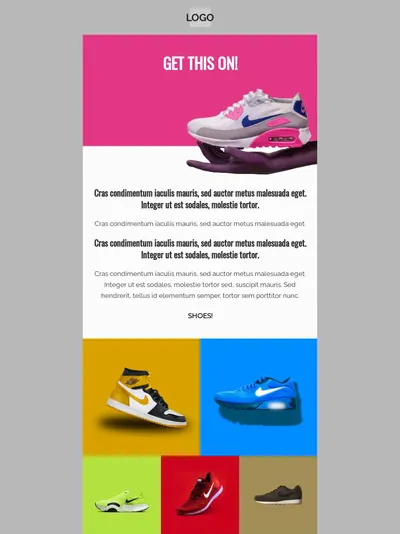
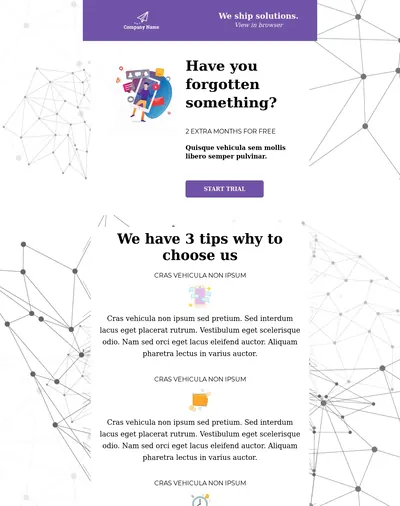
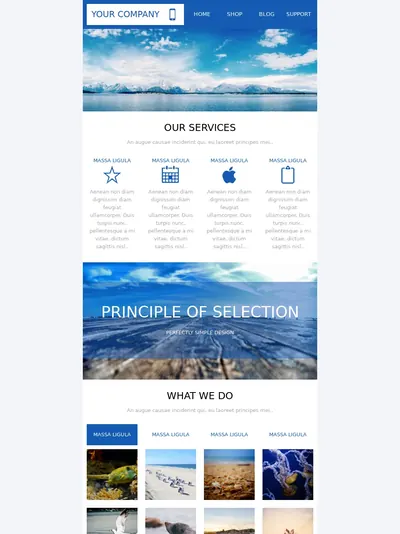

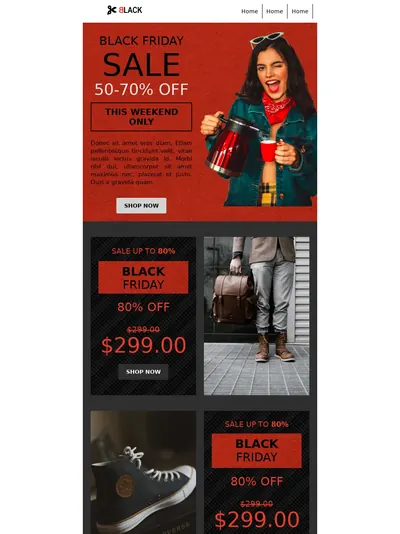

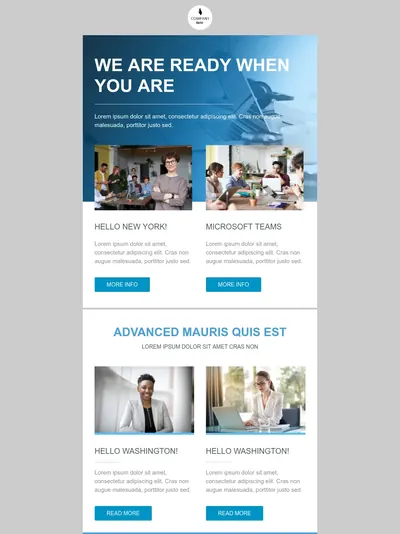

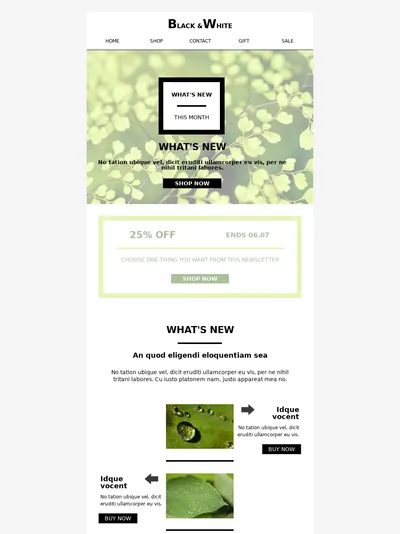
Template 1 of 10: Marketing Agency Newsletter
Integrations
Brevo
Brevo provides official SDKs for PHP, Python, Node.js, Ruby, Go, Java, and C# for both the marketing and transactional APIs. SMTP relay handles language-agnostic sends. Brevo lists 150+ integrations, including Shopify, WordPress, Stripe, and Zapier, and every paid plan includes an MCP connection for managing campaigns and contacts from ChatGPT, Claude, and other AI tools. Webhooks support up to 40 endpoints per account for real-time events such as delivered, opened, clicked, bounced, and marked as spam. Marketing and transactional sends flow through one account with shared contact management, domain authentication, and billing.
Strengths: seven first-party SDKs, mature SMTP relay, 150+ integrations including popular CMS and ecommerce platforms, an MCP connection for AI tools, 40 webhook endpoints per account, unified account for marketing + transactional + CRM.
Trade-offs: API documentation, while comprehensive, has been described as harder to navigate than newer developer-first competitors.
BlueFox Email
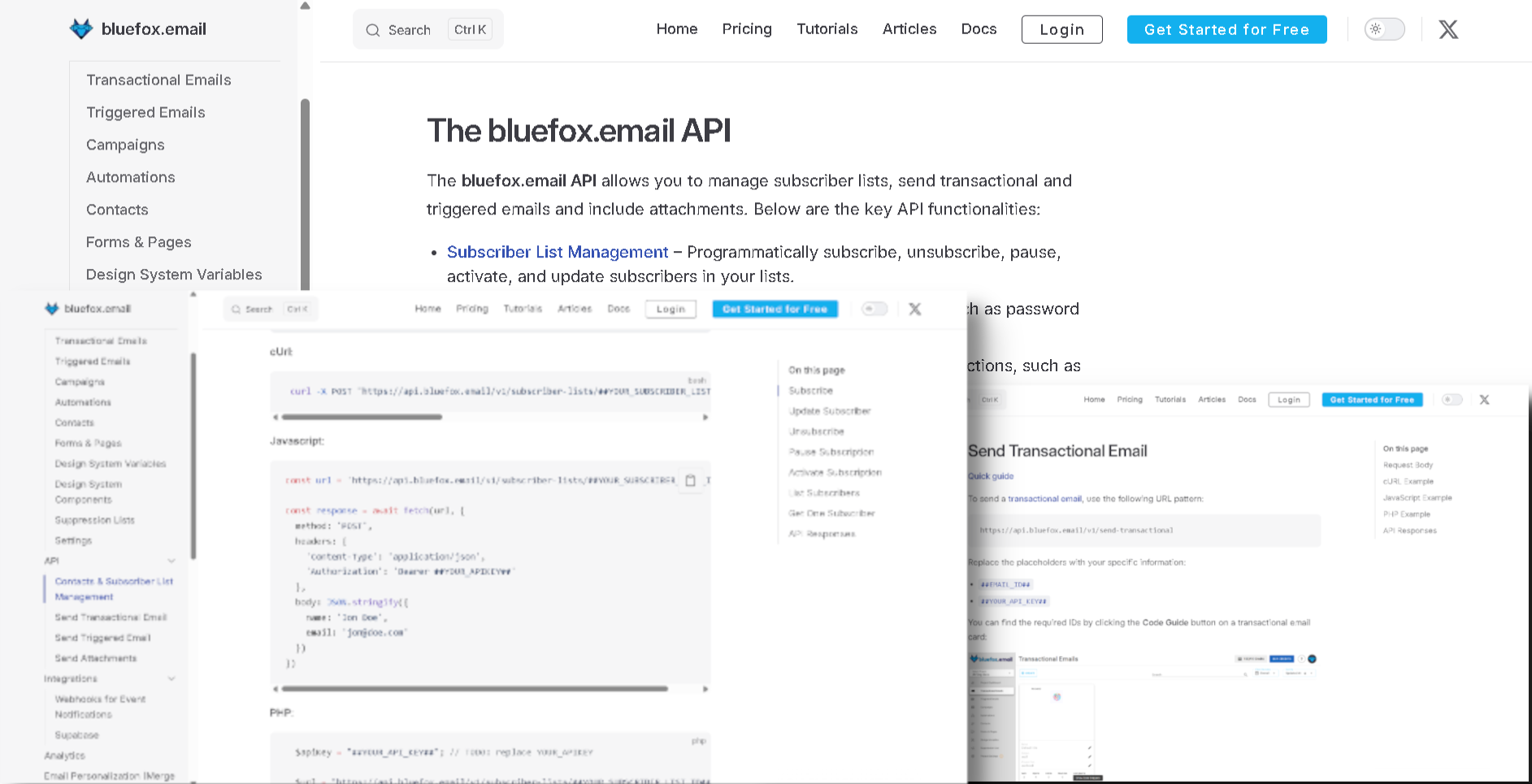
BlueFox Email exposes an API for contacts, subscriptions, transactional sends, and triggered sends. Webhooks push real-time events: sent, failed, opens, clicks, bounces, complaints, subscribe, unsubscribe, pause, resubscribe. Direct integrations: Supabase for auth emails (signup confirmation, magic links, password reset, email address changes, reauthentication, and invitations), Zapier with six triggers (New Contact, Contact Updated, Contact Deleted, New Subscription, Unsubscribed, Subscription Paused) and eight actions, and an open-source, local MCP server exposing 52 tools for managing campaigns, contacts, subscriber lists, and project settings, compatible with Claude Desktop, Claude Code, Cursor, Windsurf, and other MCP clients. In BYO SES mode, BlueFox documents SNS specifically for bounce and complaint webhooks; since it's your own AWS account, anything else you wire up (Lambda, S3, CloudWatch) is between you and AWS rather than something BlueFox builds or documents.
Strengths: complete API on every plan, full webhook event set on every plan, Supabase-native auth email path covering all six Supabase email types, Zapier connectivity, an MCP server for AI-agent access to project management, BYO SES mode gives direct AWS integration without abstraction.
Trade-offs: small native marketplace (Supabase, Zapier, and the MCP server are the main first-party integrations), no language-specific SDKs (REST API only), no native e-commerce platform plugins, no native CRM connector.
Automation
Brevo
Brevo's marketing automation supports visual workflow building with triggers based on sign-ups, page visits, purchases, custom events, segment entry, and contact-property changes. Automations are available from the Free plan, but on Free and Starter only 2,000 unique contacts can enter your active automations; once that limit is reached, no new contacts can enter until you upgrade. Standard and above remove the cap and allow an unlimited number of automated workflows. Pre-built journey templates cover welcome series, abandoned cart, browse abandonment, anniversary emails, and re-engagement. A/B testing and AI send-time optimization are included on Standard and above. Brevo is retiring its classic automation editor in favor of a new one launched in September 2024. Classic automations have been gradually migrated since September 2025 (Enterprise accounts from August 24, 2026); once migrated, automations can no longer be created or edited in the classic editor, and partially compatible automations are moved over but set to inactive. Users moving between versions report some configuration friction.
Strengths: automations available from the Free plan, unlimited automation contacts and workflows on Standard ($18/mo) and above, pre-built journey templates, A/B testing, AI send-time optimization, contact scoring for automation triggers on Professional.
Trade-offs: on Free and Starter, only 2,000 unique contacts can enter active automations. The migration from the classic to the new editor sets partially compatible automations to inactive, so they need checking afterwards. User reports of automations occasionally not triggering reliably appear across community forums, though this isn't unique to Brevo.
BlueFox Email
BlueFox Email's automation builder is available on every plan including the free tier. Trigger types: Contact Added, Contact Updated (with from/to property conditions), Enter Segment, Leave Segment, and Time Based (recurring schedules such as daily, weekdays, weekly, monthly, or monthly on a relative day, like the first Monday of every month). Node types: Send Email, Notify (send to a list or specific addresses rather than the flowing contact), Timer, Audience Filter (property, segment, or email activity), Branching with Condition nodes (multi-path), Set Value (update a contact property mid-flow), Manage Tags (add/remove tags), Webhook (fire an HTTP request to an external URL mid-flow), and Complete (defined exit). Exit Criteria lets contacts leave the flow early based on property, segment, or email activity. Running flows can be edited and the updates applied to upcoming-only or upcoming-and-in-progress contacts.
Strengths: all automation features on every plan including the free tier, no contact cap on automation, segment-based and schedule-based triggers, mid-flow contact property updates, email-activity-based branching, an in-flow webhook node, live editing of running flows.
Trade-offs: no A/B testing inside automation flows, no machine-learning send-time optimization, fewer pre-built journey templates than Brevo's catalog, no native e-commerce triggers (no abandoned cart, no purchase events). Those have to be wired via the API, the Webhook node, or Zapier.
Deliverability and Infrastructure
Brevo
Brevo runs on shared IP infrastructure by default. Brevo provides SPF/DKIM/DMARC configuration with step-by-step DNS setup, helping meet Gmail and Yahoo bulk sender requirements. Dedicated IPs are available as a paid add-on at $251 per year per IP on the Professional plan, and are included with Enterprise.
Deliverability data: EmailToolTester's long-running seed-list tests showed real volatility for Brevo over the years: 83.9% in August 2017, a peak of 96.3% in March 2021, a dip to about 68% across 2023, and 88.3% in January 2024. EmailToolTester has since moved from a single inbox-placement percentage to scoring the deliverability features each platform provides; it rates Brevo 3.5, crediting strong basics and bounce handling but noting the lack of full SPF alignment, list cleaning, and health scoring. A separate February 2025 test by Encharge measured Brevo at 89.1%. Inbox placement depends heavily on sender reputation, list quality, authentication setup, and content, so none of these numbers are a constant, and the same is true for every shared-IP platform.
Brevo monitors campaigns sent through shared IPs and can pause sends or suspend accounts that exceed engagement thresholds. The pattern that recurs in third-party reviews is unexpected suspensions following imports of older or under-engaged lists, often before a user has the chance to clean addresses. This account-monitoring approach is common across shared-IP ESPs (SendGrid, Mailchimp, Postmark, and others have similar policies); the specific complaint with Brevo is the strictness of the thresholds and the limited communication during suspension reviews.
Strengths: automatic SPF/DKIM/DMARC setup, Gmail/Yahoo sender requirements coverage, dedicated IPs available, deliverability specialist support on Professional, claimed throughput up to 120,000 emails/minute, B Corp certification.
Trade-offs: shared-IP reputation depends on platform-wide sender behavior. Deliverability has shown volatility historically (the 2023 dip is well-documented). Dedicated IP is gated to Professional ($499/mo) and Enterprise. Account suspensions following imports of older lists are a recurring complaint in reviews.
BlueFox Email
BlueFox Email has three delivery modes documented in Delivery Modes:
- Sandbox (default for new projects, BlueFox-managed infrastructure): send to any recipient with no verified-recipient requirement, capped at 100 emails/day and 1 email/second. No AWS account required. Sends from
no-reply@bluefoxemailsandbox.comby default, though a verified custom domain can be used here too. - Production (BlueFox-managed infrastructure, after a review): your approved monthly sending volume, usually set to match what you request on the production application (accounts still building a track record can start lower), with limit increases available on request, plus custom sender identities and your own verified domain.
- BYO AWS SES (optional): connect your AWS account via direct credentials or STS Role ARN. Required permissions:
ses:SendEmail,ses:SendRawEmail,ses:ListIdentities,ses:GetSendQuota. You keep your own AWS sending reputation and IP isolation, and can use an AWS SES dedicated IP if configured there.
To stay in production, projects must maintain bounce rate below 2.5% and complaint rate below 0.05%, shown live in the project dashboard. Bounced and complained addresses are added to a per-project suppression list automatically, and teams can also manually add or CSV-import other problematic addresses to prevent re-sending. The platform also supports one-click unsubscribe (RFC-8058), a subscription preferences page, and a pause-instead-of-unsubscribe link. An optional dedicated IP add-on is available for managed sending at $50/month (excl. VAT), requested by email, with no plan-tier requirement; on BYO AWS SES, a dedicated IP is set up and billed through your own AWS account instead.
Strengths: managed-mode + BYO-SES choice on the same product, your-domain sending, dedicated IP add-on for managed sending at a published price ($50/month, excl. VAT) at any volume, transparent bounce/complaint thresholds visible in-product, automatic per-project suppression list, STS-based AWS auth (no long-lived keys), one-click unsubscribe and preferences page built in, BYO SES gives complete reputation isolation.
Trade-offs: Smaller community than Brevo, so less third-party deliverability tooling and shared best-practice content.
Personalization
Brevo
Brevo personalizes messages with its own Brevo Template Language, which uses Django-like syntax: contact attributes are inserted with variables such as {{ contact.FIRSTNAME }}, and if statements and filters show, hide, or reformat content per recipient. Custom contact attributes can be defined and populated via the API or signup forms. The transactional API supports template variables passed at send time. AI-powered product recommendations are part of Professional's ecommerce features. The AI content generator can draft personalized variations directly inside the email editor.
Strengths: Brevo Template Language with conditionals and filters, custom contact attributes, show/hide content per recipient, AI copy generation from Starter and AI product recommendations on Professional, separate template variable injection for transactional sends.
Trade-offs: advanced personalization scenarios sometimes require working in the HTML view rather than the visual editor. AI segmentation requires Professional. The interface for managing complex conditional content can be hard to navigate.
BlueFox Email
BlueFox Email also uses Handlebars for personalization: {{contact.firstName}} for fields and {{#if}}…{{else}}…{{/if}} for conditional content, with added logical operators (AND, OR, NOT, EQ, INCLUDES), loop helpers ({{#each}} with skip/limit), and string helpers (CAPITALIZE, TRUNCATE). Built-in tags live under the contact object: {{contact.email}} is always available, and any custom contact property you define is addressed the same way. {{unsubscribeLink}} and {{pauseSubscriptionLink}} are also built in, but only for non-transactional sends. Double opt-in confirmation emails for subscriber lists use {{verifyLink}}, and a double opt-in list can't be saved without it; in other transactional emails, link variables are ordinary custom data fields you name yourself and pass in with the send request. Contact properties beyond email are defined in Project Settings → Contact Properties and can be set or updated programmatically via the API or from inside an automation flow (Set Value node). Personalization is available on every plan including the free tier.
Strengths: standard Handlebars syntax familiar to developers, added logical operators, loop controls, and string helpers beyond default Handlebars, conditional blocks at every plan level, contact properties updatable via API or in-flow Set Value node, pauseSubscriptionLink enables a pause-instead-of-unsubscribe path, dynamic image rendering via data feeds.
Trade-offs: no AI content generation or AI-driven dynamic content, no pre-built e-commerce product merges (must be passed in via the API), no geographic or timezone tags out of the box, fewer Handlebars helpers than some enterprise platforms.
Segmentation
Brevo
Brevo segments contacts based on attribute values, list membership, engagement history (opens, clicks, recent activity), website behavior and custom events (tracking included from Standard), and e-commerce events when connected. Starter and above can create as many saved segments as needed. Segments are dynamic and update as contact data changes. Stackable AND/OR criteria support complex audience logic. AI segmentation on Professional lets Brevo's Aura AI suggest audience groups based on behavior and attributes, and Professional also adds contact scoring (including RFM and CLV) for targeting.
Strengths: dynamic segment updates, stackable AND/OR criteria, unlimited saved segments from Starter, web-tracking-based behavioral segments (Standard+), AI segmentation and contact scoring (Professional).
Trade-offs: web and event tracking require Standard or higher. AI segmentation and contact scoring require Professional ($499/mo entry), which is a major gate for what's marketed as an AI-first feature. Complex segments can be hard to debug when criteria conflict.
BlueFox Email
BlueFox Email's segments use AND/OR condition logic with ten operators: equals, does not equal, contains, does not contain, is empty, is not empty, greater than, less than, greater than or equal, less than or equal. Filters apply to any contact property or tag, plus engagement-based conditions (received, not received, opened, not opened, clicked, not clicked) over a configurable day window. Segments can be scoped to a single subscriber list or to all contacts in the project, and can drive both campaign delivery and automation triggers (Enter Segment / Leave Segment).
Strengths: no plan-based limit on conditions (every feature is on every plan), engagement-based segments at every plan level, segments usable as automation triggers, segment-scoping to list or whole project, no plan-based feature gates.
Trade-offs: no pre-built segment templates versus Brevo's broader options (the closest equivalent, excluding unengaged contacts from a send, is a separate project-wide setting rather than an actual segment), no predictive or AI segmentation, no built-in e-commerce filters (no "purchased product X" out of the box; those need contact properties set via API), no native website tracking for behavioral segments.
0of 1,240 contacts matched
You chooseWho should hear this?
- Active in last 30 days
- Plan: Pro
- Project created

We deliver toOnly the right people


Stop blasting everyone. Filter by behavior, plan, activity, or any property you've collected. Higher engagement, less waste, more revenue per send.
Analytics and Reporting
Brevo
Brevo tracks deliveries, opens, unique opens, clicks, unique clicks, bounces, blocks, spam reports, and unsubscribes across campaigns and transactional sends. Starter includes basic reporting on opens and clicks. Standard adds advanced email reporting with click heatmaps, geography, and device reports. Professional adds an AI Data Analyst that answers plain-language questions about your data. Real-time event tracking via webhooks supports up to 40 endpoints per account. E-commerce revenue tracking is available when connected stores share order data. Marketing and transactional analytics are reported separately within the same account.
Strengths: heat-map click visualization and geography/device reports (Standard+), AI Data Analyst on Professional, e-commerce revenue tracking on connected stores, real-time webhooks (40 endpoints), unified reporting for marketing and transactional within one account.
Trade-offs: advanced reporting requires Standard or higher; Starter reports only opens and clicks. Long-window analysis can require external storage. Reports are spread across separate marketing/transactional/CRM dashboards. No live sender-reputation or inbox-placement scoring inside the product.
BlueFox Email
BlueFox Email's Statistics page scopes analytics at account, project, campaign, transactional email, triggered email, automations, and subscriber list levels. Per email: sends, opens, unique opens, clicks, unique clicks, bounces, and complaints; resubscriptions and paused subscriptions are tracked separately as project- and list-level Subscription Trends rather than per-email metrics. Charts switch between hourly, daily, weekly, and monthly intervals (daily/weekly/monthly support up to a 1-year range, hourly up to 7 days). Each email's detail page includes a filterable, contact-level data table exportable as CSV. Project-level dashboard shows live bounce rate (against the 2.5% ceiling) and complaint rate (against the 0.05% ceiling). Automation cards expose Runs, Active, Sends, Opens, Clicks for the whole flow plus per-Send-Email-node breakdowns. Webhooks push every event in real time for external dashboards.
Strengths: live bounce/complaint ratios against the production thresholds, per-email-type and per-automation-node stats with CSV export, real-time webhook push for external analytics, full event set on every plan, no retention add-on required.
Trade-offs: no revenue or ROI tracking, no breakdowns by mailbox provider or device, no industry benchmarking data. Per-URL click counts are shown in the data table, but there's no visual heat-map overlay.
Analytics
Analytics that show what happened
Delivery, opens, clicks, bounces, and subscription trends. Switch between hourly, daily, weekly, and monthly views.
Sent6,200
Failed0
Opens4,805
Unique Opens3,210
Clicks748
Unique Clicks182
Bounced8
Complaints0
Support and Learning Resources
Brevo
Paid plans below Professional get email support from Brevo's customer care team, available in six languages. Professional adds phone support and three hours per year of work with a deliverability specialist. Enterprise adds tailored onboarding and recurring CSM support. The knowledge base covers common workflows and integrations, and Brevo also runs an active community, partner network, and expert directory.
Strengths: support in six languages, phone support and deliverability specialist hours on Professional, tailored onboarding and CSM support on Enterprise, established community and partner network.
Trade-offs: below Professional, support is email only. Phone support requires Professional ($499/mo entry). Support response quality during account-status disputes (particularly suspensions) is a recurring complaint on Trustpilot and other review sites. The pattern that surfaces most is delays in support response and difficulty reaching a human during critical account events.
BlueFox Email
BlueFox Email provides email support across all plan tiers. Users can also book a direct call with the founder from inside the product for hands-on help, onboarding, technical setup, or use-case fit. Self-service resources include the product documentation, a glossary, comparison articles, and a smaller set of blog posts and guides. There is no formal learning platform, no certified-partner program, and no agency directory.
Strengths: same support tier for free and paid users, in-product founder call booking for direct help, direct line to the people who build the product.
Trade-offs: small team; this level of direct access is a function of company stage, not a permanent commitment. No 24/7 desk, no phone hotline, no live-chat. Documentation is English-only. No formal training platform. Knowledge base, community forums, and third-party tutorial coverage are all smaller than Brevo's.
Pricing
Both platforms price mainly by email volume rather than contacts, which makes this a more direct comparison than most. Two differences matter: Brevo's tiers also cap how many contacts you can store, and each Brevo tier unlocks a different feature set, while BlueFox Email includes everything on every plan.
Brevo (volume-based, with contact limits)
Brevo charges by emails sent per month, with each volume tier also setting a contact storage limit. In October 2025, Brevo restructured its plans into five tiers (Free, Starter, Standard, Professional, Enterprise), replacing the previous "Business" tier with "Standard" and adding "Professional" between Standard and Enterprise. Paying yearly saves 10% on paid plans. Prices below are Brevo's monthly USD list prices from its pricing page.
| Plan | Price | Volume and contacts | Notes |
|---|---|---|---|
| Free | $0 | 300 emails/day; 100,000 contacts | No credit card needed. Automations limited to 2,000 unique contacts. Emails always carry the "Sent with Brevo" sticker. |
| Starter | $9 (5K), $32 (20K), $56 (50K), $82 (100K) | 5,000 to 100,000 emails/mo; 500 contacts at 5K, 500,000 from 20K | Email and transactional, AI content generator, forms, segmentation, MCP for AI tools, basic reporting, email support. Automations limited to 2,000 unique contacts. Brevo logo in emails unless you add logo removal ($12/mo). |
| Standard | $18 (5K), $35 (10K), $69 (20K), $97 (50K), $139 (100K), $179 (150K), $249 (250K), $429 (500K) | 500 contacts at 5K, 1,500 at 10K, 500,000 from 20K | Unlimited automation contacts and workflows, A/B testing, click heatmaps and geography/device reports, AI send-time optimization, web and event tracking, 1 landing page, no Brevo logo, 1 marketing seat (up to 2 more at $12/mo each). |
| Professional | $499 (150K), $699 (500K), $999 (1M); tiers continue to 10M | 2,000,000 contacts | WhatsApp, popups, mobile and web push, 10 seats, 10 landing pages, contact scoring, AI segmentation, AI Data Analyst, advanced ecommerce features, phone support, deliverability specialist (3 hrs/yr). Dedicated IP add-on $251/yr per IP. |
| Enterprise | Custom | Unlimited stored contacts; aimed at 1M+ contacts | Multi-account management, custom objects, SSO/SAML, dedicated IP included, tailored onboarding, CSM support. |
Pay-as-you-go email credits: instead of a monthly plan, Brevo also sells prepaid email credits with no daily sending limit, no Brevo logo, and no expiration date: $95 for 20,000, $165 for 50,000, $275 for 100,000, and $1,600 for 1,000,000.
Add-ons: dedicated IP $251/year per IP (Professional; included in Enterprise). Brevo logo removal $12/mo on Starter ($10.80/mo billed yearly). Extra Standard marketing seats $12/mo each (up to 2). Sales CRM packages: Sales Free, Sales Essentials ($31/mo), Sales Advanced ($65/mo per user). SMS and WhatsApp priced by volume and destination.
BlueFox Email (per-send)
BlueFox Email charges per send, never per contact. One send is one email delivered to one recipient, and transactional, triggered, and campaign emails all cost the same. Contacts are unlimited, every plan and pack includes every feature, and sends are bought at the workspace level and shared across all projects. All prices below exclude VAT, which is applied at checkout based on your local rate.
There are two ways to pay (a recurring monthly plan or one-time send packs) and two ways to send: Standard, where BlueFox Email manages the sending infrastructure, or BYO AWS SES, which gives 2× the sends at the same price while you pay AWS directly for sending. New workspaces get a one-time allowance of 3,000 free sends on Standard pricing or 6,000 on BYO SES pricing, valid for 12 months, with no credit card required.
Monthly plans (excl. VAT)
Best for regular, steady sending.
| Plan | Price / month | Standard sends / month | BYO AWS SES sends / month |
|---|---|---|---|
| Starter | $6 | 5,000 | 10,000 |
| Basic | $9 | 10,000 | 20,000 |
| Growth | $19 | 25,000 | 50,000 |
| Pro | $35 | 50,000 | 100,000 |
| Business | $59 | 100,000 | 200,000 |
| Scale | $129 | 250,000 | 500,000 |
| Elite | $239 | 500,000 | 1,000,000 |
Each billing cycle brings a fresh sending allowance, and unused sends do not roll over. You can cancel anytime and keep using your allowance until the current billing period ends, or upgrade anytime by paying the price difference, with the new plan starting right away. On Standard, the effective rate runs from $1.20 per 1,000 sends on Starter down to about $0.48 per 1,000 on Elite; BYO SES halves that, before AWS fees.
One-time send packs (excl. VAT)
Best for occasional or unpredictable volume, or for teams that prefer to pay upfront.
| Pack | Price | Standard | BYO AWS SES |
|---|---|---|---|
| Essential | $50 | 50,000 sends ($1.00 per 1,000) | 100,000 sends ($0.50 per 1,000) + AWS fees |
| Premium | $300 | 500,000 sends ($0.60 per 1,000) | 1,000,000 sends ($0.30 per 1,000) + AWS fees |
Pack sends are valid for 12 months from the date of purchase, and you're never billed again unless you buy another pack. Packs stack with no cap, and the oldest sends are always used first, so the newest last the longest.
AWS fees (BYO SES only)
In BYO mode, AWS bills you directly for sending, separately from your BlueFox Email plan or pack. At AWS's à la carte rate of $0.10 per 1,000 emails, 100,000 sends add about $10, and every BYO figure in this comparison uses that rate.
If your AWS account is new, check which SES pricing option it's on. Since July 21, 2026, new SES accounts (and account/region combinations with no metered SES activity since June 1, 2025) start on the SES Essentials plan at $0.16 per 1,000 emails for the first 10M per month. You can switch to à la carte pricing at any time.
Dedicated IP
Teams on managed sending can add a dedicated sending IP for $50/month (excl. VAT), at any volume. The IP is reserved for your workspace, so your sender reputation depends only on your own sending. To set one up, email hello@bluefox.email. On BYO AWS SES there's nothing to buy from BlueFox Email: dedicated IPs are set up and billed in your own AWS account.
Custom volume
If you need more than the published plans and packs cover, contact sales at hello@bluefox.email. The team sets up a discovery call to plan your volume and onboarding.
How to read the scenarios
Each scenario below states its own contact count and email volume instead of assuming a typical sending frequency. Brevo prices are its monthly USD list prices, checked October 2026; paying yearly takes 10% off. Because each Brevo tier sets both an email allowance and a contact limit, the scenarios pick the cheapest Brevo tier that fits both, and the plan that includes the features each scenario needs. All BlueFox Email prices exclude VAT, and BYO SES figures include AWS fees at $0.10 per 1,000 emails.
Scenarios: monthly plans
Monthly plans suit regular, steady sending, so these scenarios compare Brevo's monthly price with the BlueFox Email plan that fits each month's volume.
Tiny list (500 contacts × 10 sends/month = 5,000 emails/month):
- Brevo Free: $0, but the 300-emails-per-day cap means a campaign to all 500 contacts reaches only 300 on the day, and the rest must be requeued the next day; Free emails always carry the "Sent with Brevo" sticker.
- Brevo Starter 5K: $9/month (exactly 500 contacts), plus $12/month if you want to remove the Brevo logo.
- BlueFox Email Standard: the 3,000 free sends cover part of the first month, then Starter at $6/month (5,000 sends).
- BYO SES: the 6,000 free sends cover the first month, then Starter at $6/month (10,000 sends) plus ~$0.50 AWS = ~$6.50/month.
Brevo's Free plan costs nothing if you're fine splitting each campaign across two days and carrying Brevo's branding. If you want every campaign to reach all 500 contacts at once, BlueFox Email's $6 Starter plan is the cheapest option: the cheapest Brevo plan that can do that is Starter at $9/month, or $21/month without the Brevo logo.
Small newsletter with automation (5,000 contacts × 4 sends/month = 20,000 emails/month):
- Brevo Standard 20K: $69/month. Starter 20K ($32) covers the volume, but only 2,000 unique contacts can enter its automations, fewer than this list.
- BlueFox Email Standard: Growth at $19/month (25,000 sends).
- BYO SES: Basic at $9/month (20,000 sends) plus ~$2 AWS = ~$11/month.
Mid-size list with automation and segmentation (10,000 contacts × 5 sends/month = 50,000 emails/month):
- Brevo Standard 50K: $97/month.
- BlueFox Email Standard: Pro at $35/month (50,000 sends).
- BYO SES: Growth at $19/month (50,000 sends) plus ~$5 AWS = ~$24/month.
Transactional-heavy SaaS (10,000 users × 10 emails each per month = 100,000 emails/month, no marketing automation needed):
- Brevo Starter 100K: $82/month (transactional sends use the same plan).
- BlueFox Email Standard: Business at $59/month (100,000 sends).
- BYO SES: Pro at $35/month (100,000 sends) plus ~$10 AWS = ~$45/month.
High-volume marketing sender (500,000 emails/month, with automation):
- Brevo Standard 500K: $429/month (Professional 500K is $699 if you need its extra channels and AI features).
- BlueFox Email Standard: Elite at $239/month (500,000 sends).
- BYO SES: Scale at $129/month (500,000 sends) plus ~$50 AWS = ~$179/month.
Very high volume (1,000,000 emails/month):
- Brevo Professional 1M: $999/month (Standard tiers stop at 500,000).
- BlueFox Email Standard: the largest monthly plan, Elite ($239), covers 500,000 sends; at 1,000,000 a month, contact sales for custom volume.
- BYO SES: Elite at $239/month (1,000,000 sends) plus ~$100 AWS = ~$339/month.
Scenarios: one-time packs
Packs suit occasional or unpredictable sending. BlueFox Email pack sends stay valid for 12 months, so each scenario below looks at a full year. On the Brevo side, the closest equivalent is its pay-as-you-go email credits, which have one clear advantage: they never expire. Brevo's monthly plans, by contrast, bill every month whether you send or not.
Occasional campaigns (10,000 contacts × 4 sends a year, such as a quarterly newsletter or event announcements = 40,000 emails/year):
- Brevo Starter 20K kept all year (the 20K tier is where contact storage rises to 500,000): $32 × 12 = $384/year.
- Brevo pay-as-you-go credits: 50,000 credits for $165; the 10,000 you don't use carry over, since credits don't expire.
- BlueFox Email Standard: one Essential pack ($50) covers the whole year, with 10,000 sends to spare.
- BYO SES: one Essential pack ($50, 100,000 sends) plus ~$4 AWS = ~$54/year.
A big list, every few months (200,000 contacts × 1 send every 3 months, such as a quarterly announcement or a seasonal sale = 800,000 emails/year):
- Brevo Standard 250K kept all year (Starter stops at 100,000, so this is the smallest tier that covers a 200,000-email month): $249 × 12 = $2,988/year.
- Brevo pay-as-you-go credits: 1,000,000 credits for $1,600, leaving 200,000 for later, since credits don't expire.
- BlueFox Email Standard: two Premium packs ($600) cover the year, with 200,000 sends to spare.
- BYO SES: one Premium pack ($300, 1,000,000 sends) plus ~$80 AWS = ~$380/year.
Cost summary: At the very small end, Brevo's Free plan is hard to beat if you can live with 300 emails a day and Brevo's branding; if you need to send to your whole list at once, BlueFox Email's $6 plan is cheaper than any paid Brevo plan. Once automation enters the picture, BlueFox Email costs roughly 64% to 84% less than Brevo Standard at the same volume, because Brevo caps automation at 2,000 contacts below Standard and BlueFox Email has no such cap. For transactional-only sending at 100,000 emails, Brevo Starter is closer, but BlueFox Email still comes in about 28% to 45% lower. At 500,000 emails a month, BlueFox Email costs about 44% to 58% less than Brevo Standard, and at 1,000,000, BYO SES costs about 66% less than Brevo Professional. For occasional senders, a BlueFox Email pack comes in roughly 63% to 76% below Brevo's pay-as-you-go credits, though Brevo's credits never expire, which matters if your sending is very irregular.
Where Brevo makes sense despite the higher price at scale:
- You also need SMS, WhatsApp, web/mobile push, live chat, or a sales CRM, and would otherwise pay for those as separate tools.
- A very small list where Brevo's Free plan covers everything you send, as long as splitting campaigns at 300 emails a day and Brevo's branding are acceptable.
- Very irregular sending where prepaid credits that never expire are worth the higher per-email price.
- You specifically want a B Corp-certified, French-incorporated vendor.
- You want AI-driven content generation, AI segmentation, or an AI data analyst without integrating third-party tools.
- You need first-party SDKs across seven languages rather than rolling against a REST API.
- You want a single vendor for multi-channel marketing automation plus a built-in CRM.
Where BlueFox Email is the clear choice:
- Mid-to-high-volume email sending where per-send pricing beats Brevo's volume tiers.
- You need automation for more than 2,000 contacts without paying for Brevo's Standard tier: BlueFox Email has no automation contact cap on any plan.
- Occasional or seasonal sends to a large list: one pack can cover a whole year, with nothing billed in the months you don't send.
- Email-focused workflows where SMS, WhatsApp, push, CRM, and landing pages are handled elsewhere (or not needed).
- You want automation, segmentation, and analytics on the free tier with no contact cap or tier-gating.
- You want to bring your own AWS SES and keep your own sending reputation.
- You need to edit live automations in place rather than work across two editor versions.
- You need per-project suppression-list visibility and bounce/complaint thresholds shown in-product.
- You run an agency or multi-client setup: isolated client workspaces (one account, many projects) with Admin, User, and Client roles, where a Client's access can be scoped to Editor or Viewer per project.
- You want a single product covering transactional, triggered, and marketing emails with one bill.
Notes on both:
- Brevo pricing shifts with monthly volume and contact storage, and features change by tier. Verify against the current Brevo pricing page.
- BlueFox Email prices are public, with flat monthly plans and one-time packs, all excluding VAT. In BYO mode, AWS bills sending separately; the figures here use AWS's $0.10 per 1,000 à la carte rate.
- Both platforms have changed pricing in the past year: Brevo restructured its plans in October 2025, and BlueFox Email added monthly plans alongside its packs.
Which Fits Your Use Case
Pick by what you actually need.
| If you need… | Likely better fit |
|---|---|
| Email + SMS + WhatsApp + push + live chat + CRM under one subscription | Brevo |
| B Corp certification | Brevo |
| AI content generation and AI product recommendations | Brevo |
| AI segmentation and contact scoring | Brevo (Professional) |
| A free plan for a very small list (300 emails/day) | Brevo |
| Prepaid email credits that never expire | Brevo |
| First-party SDKs in seven languages with mature SMTP relay | Brevo |
| Built-in sales CRM alongside email marketing | Brevo |
| Heat-map click analytics and AI send-time optimization | Brevo (Standard+) |
| Phone support on paid plans | Brevo (Professional+) |
| Large contact list with infrequent campaigns | BlueFox Email |
| Automation for more than 2,000 contacts without upgrading | BlueFox Email |
| Mid-to-high-volume sending with predictable per-send costs | BlueFox Email |
| All features (automation, segmentation, analytics) on the free tier | BlueFox Email |
| Bring-your-own AWS SES with STS Role ARN | BlueFox Email |
| Live editing of running automations without disable/duplicate | BlueFox Email |
| Single product covering transactional, triggered, and marketing | BlueFox Email |
| Suppression-list visibility and bounce/complaint thresholds in-product | BlueFox Email |
| Agency setup: client workspaces (account + projects) with per-project client roles | BlueFox Email |
| One-click unsubscribe (RFC-8058), preferences page, pause-instead-of-unsubscribe | BlueFox Email |
| Live RSS/JSON content inside emails (data feeds) | BlueFox Email |
Both platforms can send email at scale. The decision usually comes down to whether you want Brevo's multi-channel customer engagement suite with built-in AI and CRM, or BlueFox Email's focused single-product email platform with per-send pricing and a managed-or-BYO SES delivery choice.
If you're comparing more than one platform, see how BlueFox Email stacks up against Mailchimp, ActiveCampaign, and Constant Contact.
Scale Your Agency with Professional Email Solutions
Deliver pixel-perfect, on-brand emails for every client. Maintain consistency across campaigns and elevate your agency's reputation with reliable email infrastructure.